

7 Best Chrome Proxy Extensions in 2026: Free & Premium

Choosing the best proxy for the Chrome browser is necessary for accessing restricted sites. However, not all extensions work the same way. To find the right tool, you first need to understand the two main categories of Chrome proxy extensions:
- Universal proxy managers: These allow you to use proxies from any provider. For users who rotate between multiple proxy sources (e.g., SwitchyOmega, FoxyProxy).
- Native provider extensions: Built by specific providers like Bright Data or Oxylabs.
Best proxy extensions for Chrome to unblock content in 2026
We’ve tested the top-rated options to help you find the right proxy for Chrome browser:
Provider | Chrome web store score | Free plan / trial | Proxy type | Protocol |
|---|---|---|---|---|
4 out of 88 ratings | 7-day free trial | Native | HTTP(S), SOCKS5 | |
3.9 out of 50 ratings | Free IPs | Native | HTTP(S), SOCKS5 | |
4 out of 80 ratings | Free extension | Universal | HTTP(S) | |
IPRoyal | 4.4 out of 36 ratings | Free extension | Universal | HTTP(S) |
Rayobyte | 5 out of 5 ratings | Free extension | Universal | HTTP(S), SOCKS5 |
SwitchyOmega | 4.6 out of 3.8K ratings | Open source | Universal | HTTP(S), SOCKS5 |
FoxyProxy | 3.8 out of 775 ratings | Open source | Universal | HTTP(S) |
Detailed reviews: Finding the best proxy for Chrome
Note: None of the Chrome extensions discussed in this article includes a proxy server; you need to buy a proxy solution to use the browser extension.
Bright Data
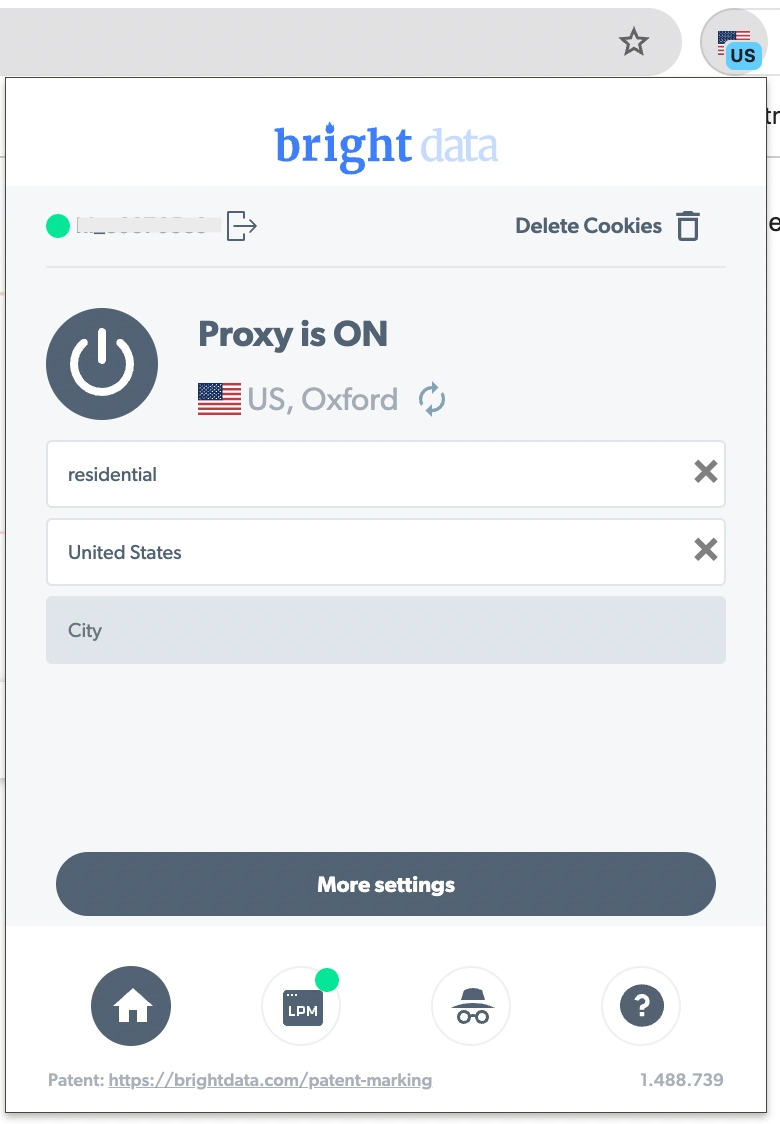
Bright Data is the most powerful Chrome extension proxy for professional users who need precise geo-targeting. Users can change their location and IP address, and the system provides complete session management.
The Chrome Proxy Extension is compatible with the Bright Data Proxy Manager. To install the Bright Data Chrome Proxy Extension, you must first have a Bright Data account.
User agents (such as Edge 118, Windows 10, Chrome, Android, Windows, Linux, Chromium, and Opera) can be customized, and you can choose which domains to exclude.
Pros:
- Advanced targeting (city/state-level)
- Works with Bright Data Proxy Manager
Cons:
- Requires a Bright Data account
- No free version
Oxylabs
Oxylabs provides a free proxy extension known as “Oxy Proxy Server Extension”, which works with any proxy provider. You can avoid using proxies for specific websites by connecting to a proxy server while using Chrome.
When you visit these addresses, which you added to the Global bypass list on the Oxylabs dashboard, your real IP address will be used, and when you switch to another website, your IP address will be changed by the Chrome proxy extension.
Oxylabs provides free datacenter proxies, containing 5 fixed IP addresses in the United States. Free DC proxies support HTTP, HTTPS, and SOCKS5.
Pros:
- Free plan available
- Easy setup and dashboard management
Cons:
- Advanced features require a paid account
Decodo
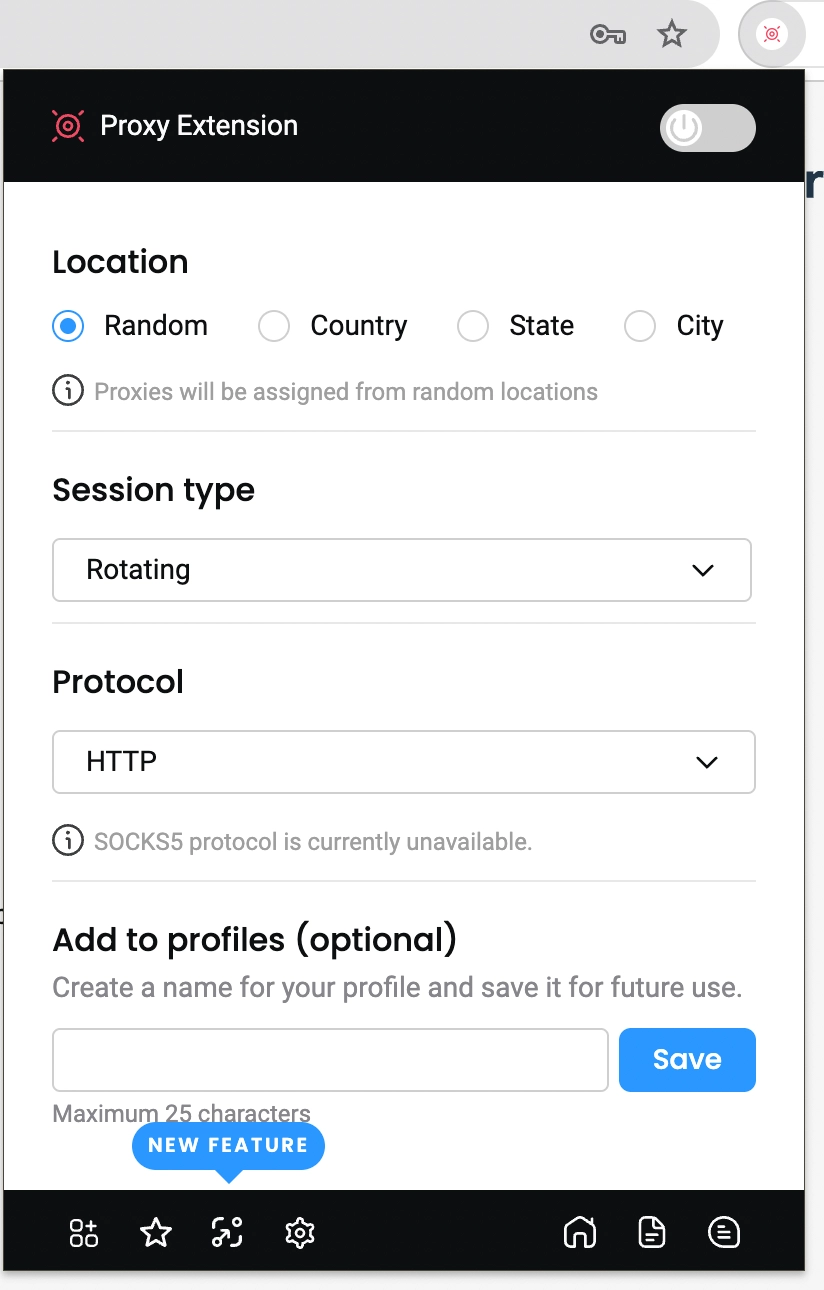
Decodo Chrome Extension is free to use and works with all proxy types and providers. The Chrome Extension supports HTTP and HTTPS protocols, as well as Bright Data and OxyLabs. You can set the session length for the same IP address.
Pros:
- Works with multiple providers
- Easy session length controls
Cons:
- Fewer advanced features than premium tools
SwitchyOmega
SwitchyOmega is a popular Chrome and Firefox browser extension. You can automatically switch between proxies depending on domain matching.
However, the majority of recent user reviews suggest that the tool has not been maintained for an extended period. If you are unfamiliar with proxy configuration, it can be overwhelming. When we used the tool, the autoswitch feature did not always work as expected.
Pros:
- Highly customizable
- Free and open source
Cons:
- Steep learning curve
- Limited recent updates
FoxyProxy
FoxyProxy is an open-source browser extension that lets you manage proxy settings in Chrome and Firefox. You can use a proxy for specific URL patterns.
FoxyProxy lets you configure your proxy manually, automatically, or via the system. The tool is accessible in browser extension stores, including the Chrome Web Store.
Pros:
- Free and open source
- Advanced configuration options
- Works with Chrome & Firefox
Cons:
- Requires manual configuration
- Not beginner-friendly
IPRoyal
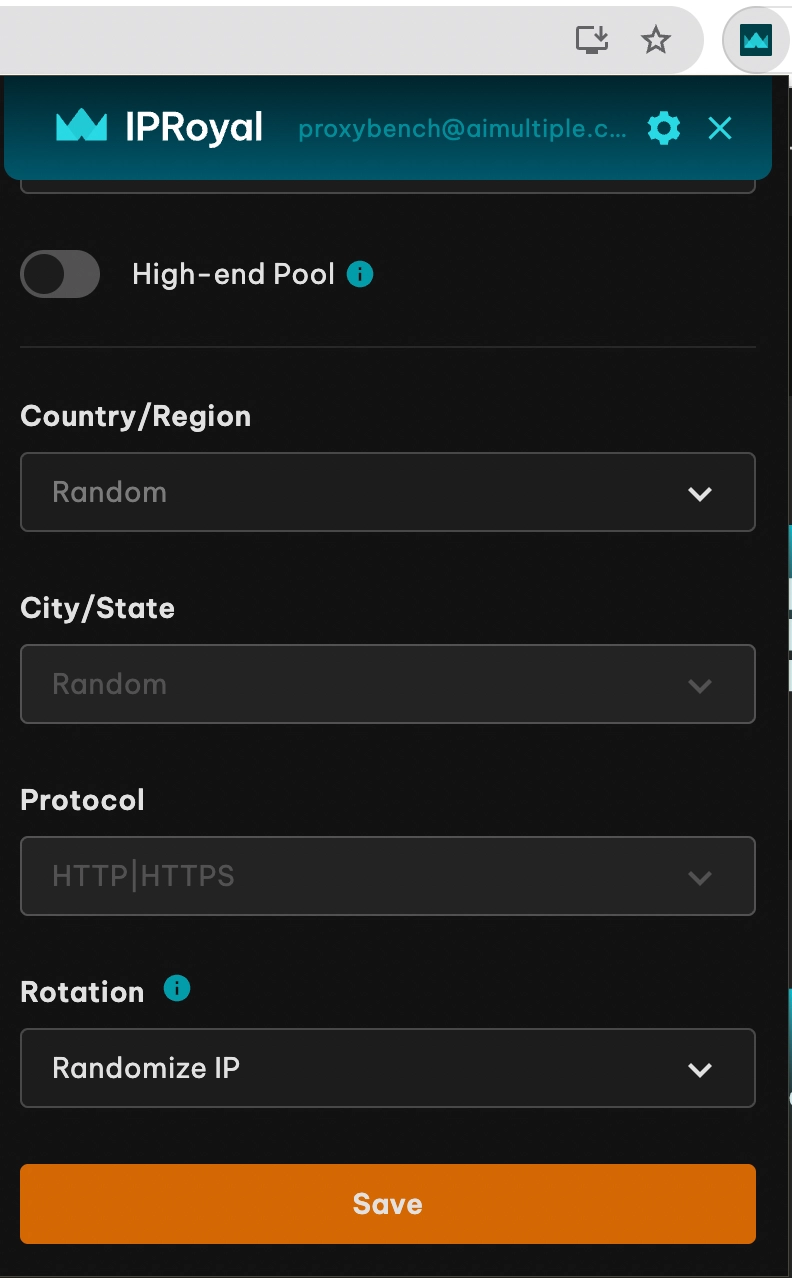
Compared to Bright Data, Oxylabs, and Decodo, IPRoyal offers users more basic Chrome extension features and a simpler interface. You can choose proxies at the city and state levels, and it supports HTTP/HTTPS proxies.
The proxy provider provides users with IP rotation for each connection request made while using the extension, as well as sticky sessions lasting up to 59 minutes, 24 hours, and seven days.
Pros:
- Flexible rotation settings
- City and state-level targeting
- Affordable pricing
Cons:
- Interface is more basic than its competitors
Rayobyte
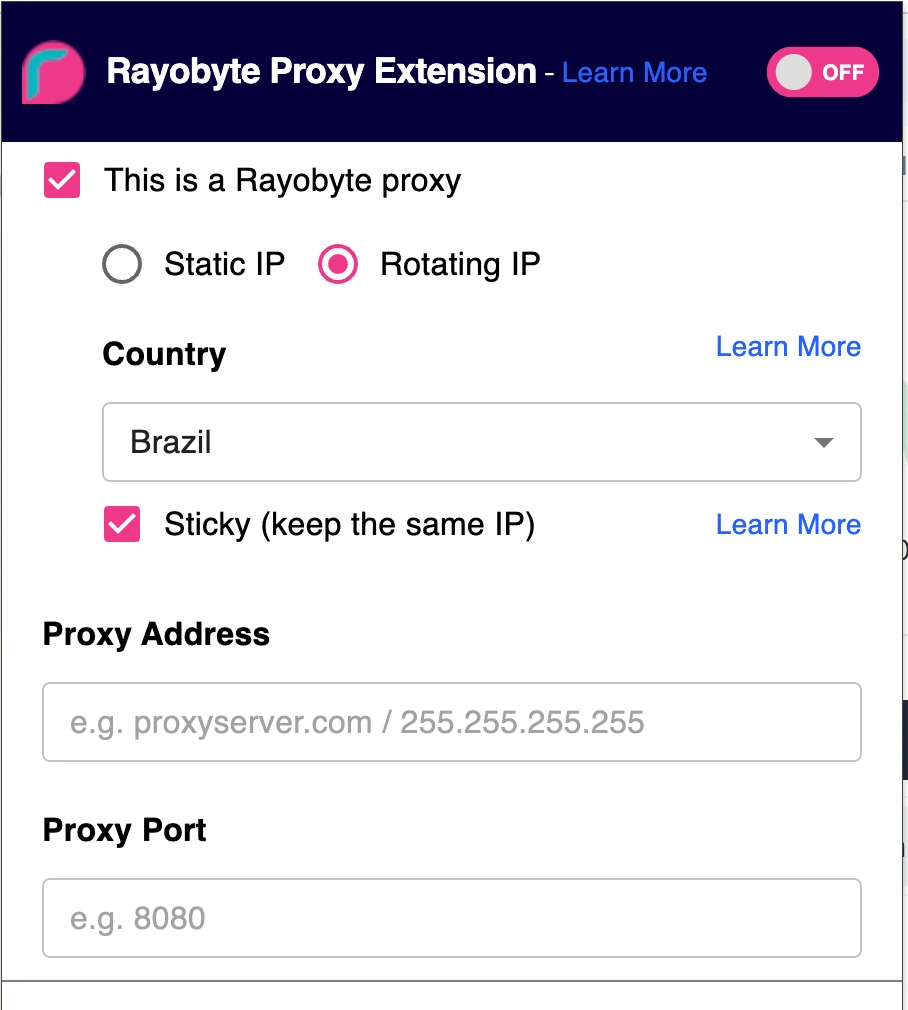
Rayobyte is a proxy provider that offers a free Chrome extension that enables users to manage multiple proxy profiles efficiently. The tool works with any proxy service provider and proxy type.
The browser extension supports rotating and sticky connections. You can use the Rayobyte extension with all SOCKS protocols, including SOCKS4 & 5.
Pros:
- Manage multiple proxy profiles
- Supports sticky & rotating sessions
Cons:
- Requires setup knowledge for best results
What is a proxy Chrome extension?
A proxy Chrome extension is a browser add-on that routes your browsing traffic through proxy servers. and provides instant proxy access. This helps you:
- Bypass geo restrictions.
- Rotate IP addresses for data scraping or anonymity
- Control which domains use proxies.
Note: Proxy extensions don’t automatically ensure privacy or unblock websites unless paired with a reliable proxy provider.
Key points about Chrome extensions for Chrome
- Customization options: For example, several extensions allow users to whitelist specific websites or utilize a separate proxy for each domain.
- Regular updates: Ensure the extension you choose provides regular updates and is compatible with the latest Chrome versions.
- Incognito mode support: Many Chrome extensions support incognito mode, but users must manually enable it.
- Protocol compatibility: HTTP, HTTPS, SOCKS4, and SOCKS5 protocol support for flexible proxy configurations.
How to unblock websites with a proxy for Chrome?
If you encounter a ‘This content is not available in your country’ error, a proxy extension for Chrome is the fastest solution. These extensions allow you to instantly unblock proxy restrictions in Google Chrome by rerouting your traffic through an alternative server.
While premium users often prefer Bright Data or Oxylabs for more stable connections. For simple unblocking, free tools like IPRoyal or FoxyProxy are suitable.
Final thoughts
If you want a free Chrome proxy extension, try IPRoyal, FoxyProxy, or SwitchyOmega.
For users who need advanced features like geo-targeting, sticky sessions, and large-scale reliability, premium options such as Bright Data and Oxylabs are strong choices.
FAQs about Chrome proxy extensions
Oxylabs and Decodo both offer free Chrome proxy extensions. Oxylabs is better for beginners, while Decodo is better for users who use multiple providers.
Yes, if you use a reputable provider like Bright Data, Oxylabs, or IPRoyal. Avoid unknown free proxies, as they may log your data.
Go to the Chrome Web Store, search for the extension (e.g., “Bright Data Proxy Extension”), click Add to Chrome, and configure it with your proxy details.
A proxy only routes browser traffic, while a VPN encrypts all device traffic.


Be the first to comment
Your email address will not be published. All fields are required.